¶ Download Software
You should prefer to install SlimeVR via Steam or Web Installer. If you cannot install the application normally, follow the steps below for manual installation.
SlimeVR Server (application) must be installed under all circumstances.
If your application needs to be used via SteamVR streaming, you must install SlimeVR OpenVR Driver (VR driver)
Below are the reference download methods for SlimeVR Server (application) and SlimeVR OpenVR Driver (VR driver). Choose one method to download.
-
Download application via SlimeVR official Github:
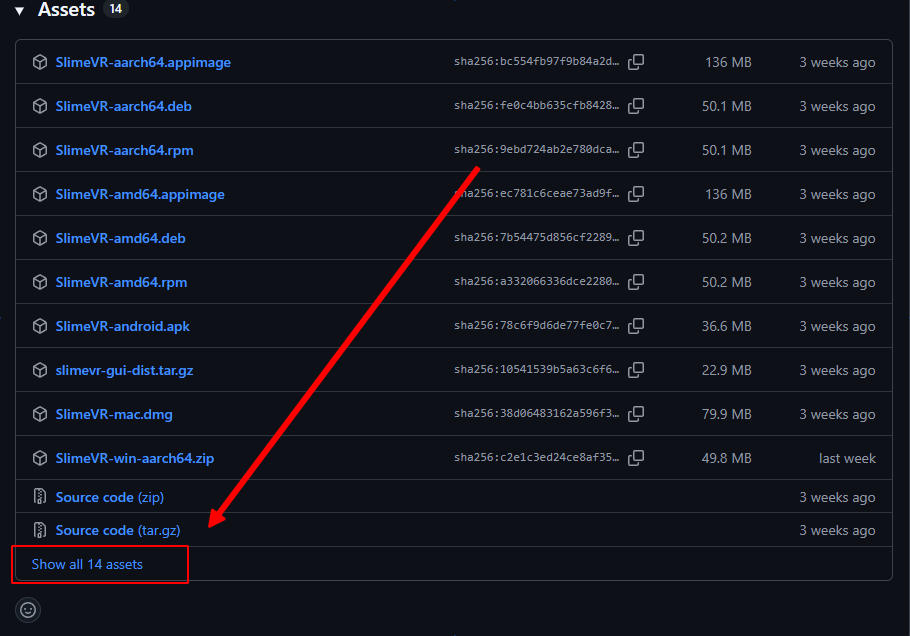
When downloading from Github, if the file list is too long, some content may be collapsed. You can click here to expand.
-
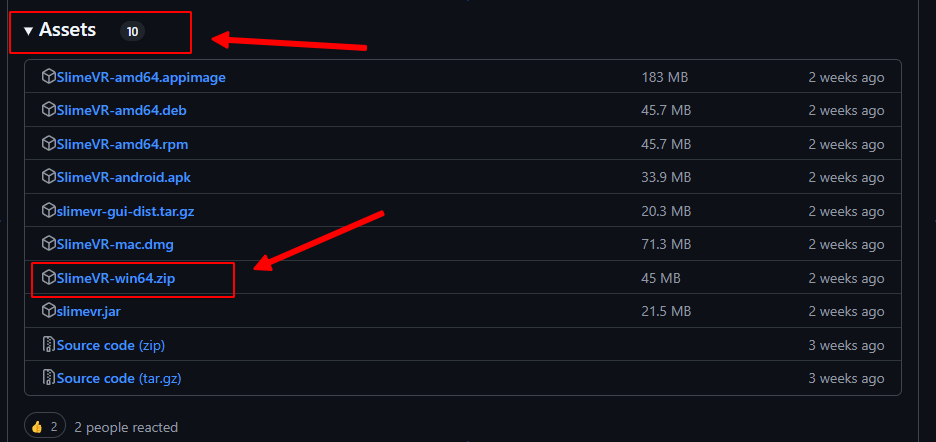
SlimeVR Server: https://github.com/SlimeVR/SlimeVR-Server/releases
-
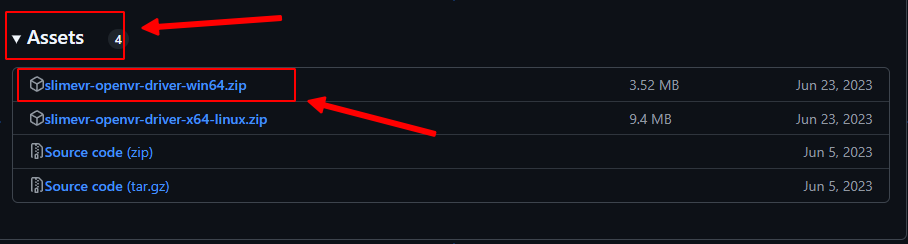
SlimeVR OpenVR Driver: https://github.com/SlimeVR/SlimeVR-OpenVR-Driver/releases
-
- Download files cached by Wiki (may not be the latest version, but version is relatively stable):
- SlimeVR Server 0.20.1 (split archive, Part 1): slimevr-win64-0.20.1.part1.exe
- SlimeVR Server 0.20.1 (split archive, Part 2): slimevr-win64-0.20.1.part2.rar
- SlimeVR OpenVR Driver [v0.5.0]: slimevr-openvr-driver-win64.zip
- SlimeVR Server 0.18.2 (Legacy) In some cases, 0.20.1 may be unstable; use the legacy version in such cases: slimevr-win64-0.18.2.zip
Due to the server single file storage limit,
SlimeVR Serverhere uses split archive compression.
| - | Description |
|---|---|
| Split Archive | Splits a single large file/folder into multiple compressed archives of specified sizes, facilitating batch transfer or storage. |
| How to Extract | 1. Place all split archive files (.part1.exe, .part2.rar, etc.) in the same folder; 2. Double-click the self-extracting .exe file and follow the prompts to select the extraction path. |
¶ Install SlimeVR OpenVR Driver (VR Driver)
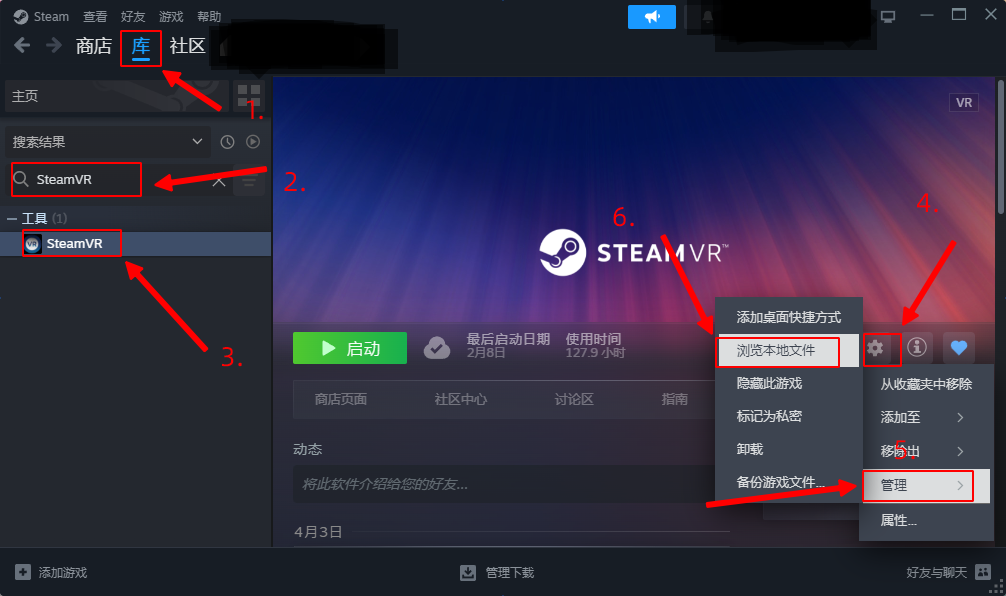
- In Steam library, find SteamVR, click the gear icon, select
Manage, then selectBrowse Local Files.
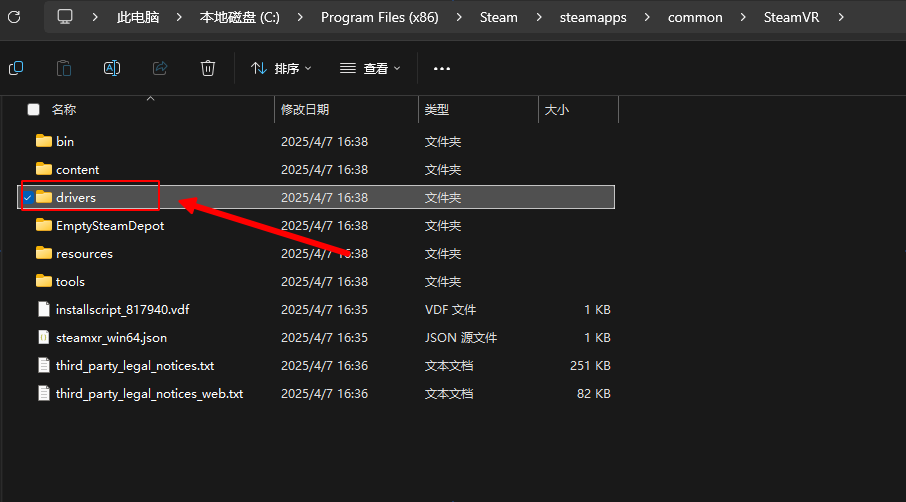
- Open the
driversfolder.
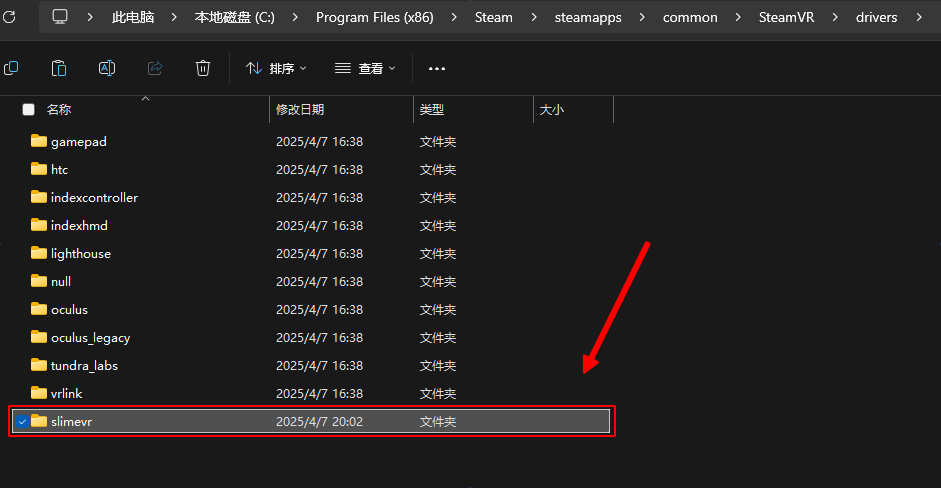
- Extract the
slimevrfolder fromslimevr-openvr-driver-win64.zipand paste it into thedriversfolder.
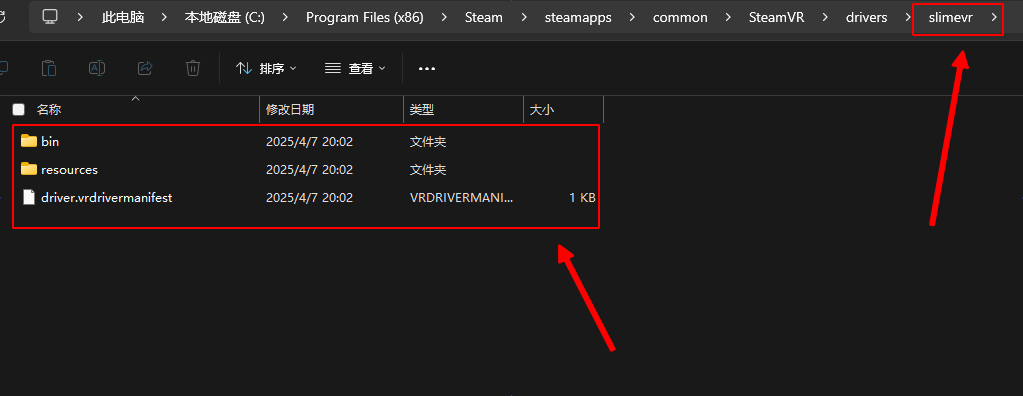
- Open the
slimevrfolder and check if files in the folder are correct. If not, adjust your operations according to actual circumstances.
- Start SteamVR application. First use may require patience during installation.
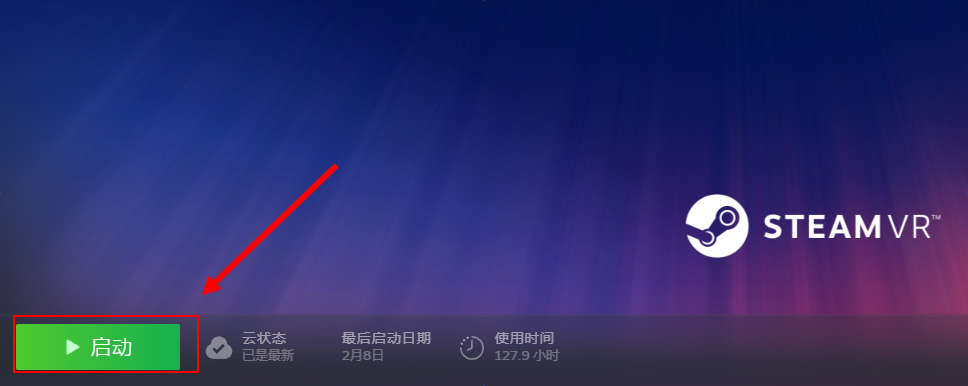
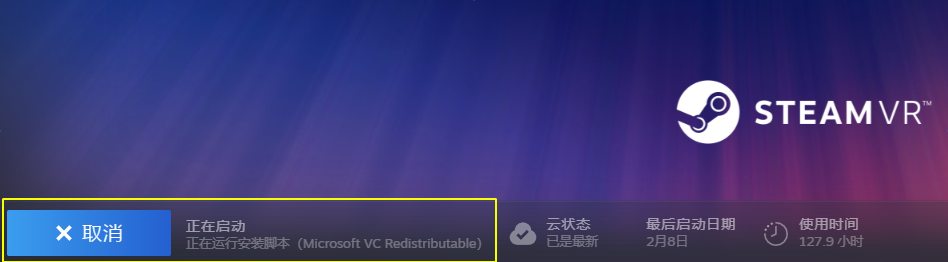
- After application starts, find the following window:
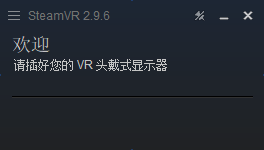
- Start the management addons page in the following order:
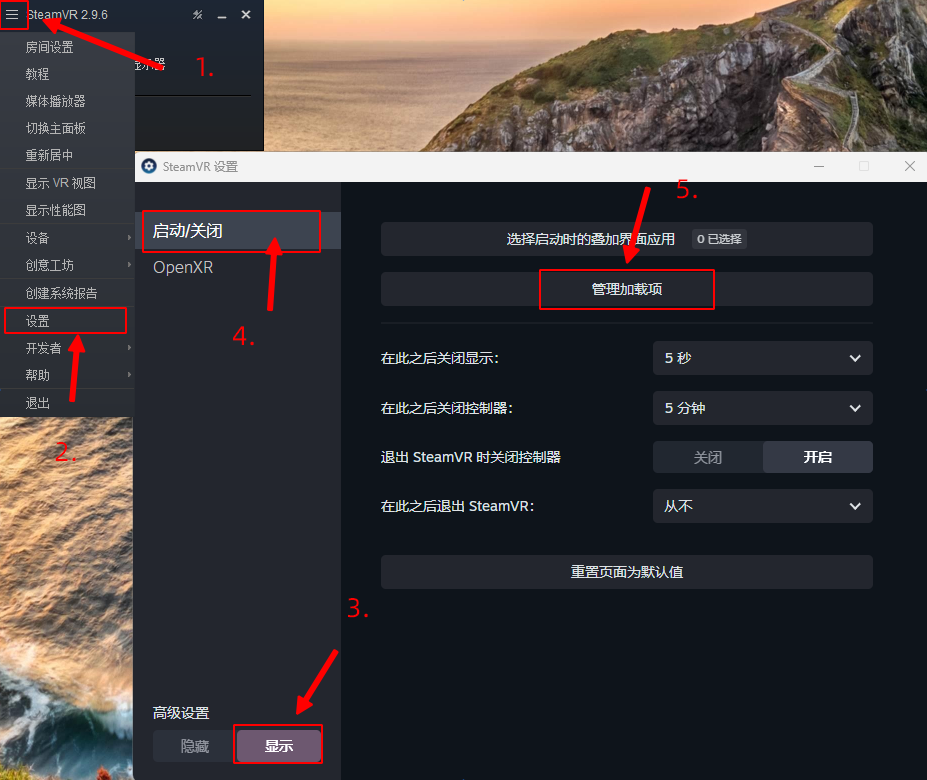
- Ensure your
slimevraddon is enabled:
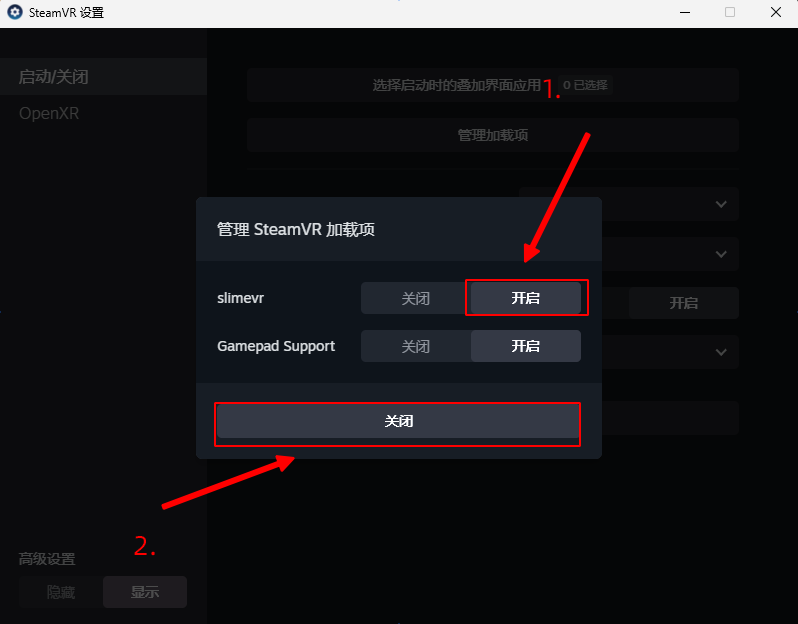
- SlimeVR OpenVR Driver installation is now complete
¶ Install SlimeVR Server (Server Application)
- Extract
SlimeVR-win64.zipand place theSlimeVRfolder in a pure English character path (e.g., root directory of D drive). - Enter the folder, select
firewall.bat, right-click, and run as administrator.
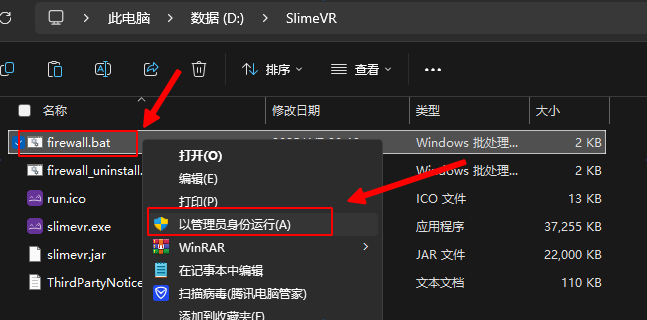
- After the program runs, you can close the window. Then run
slimevr.exeto start the program.
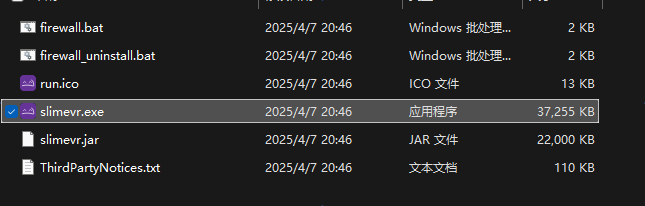
- SlimeVR Server manual installation is now complete.
First installation or first use of the software, errors are more likely to occur. If errors or other abnormal situations occur, please refer to this troubleshooting guide.
Encountered an issue:
¶ Tips
You can right-click on
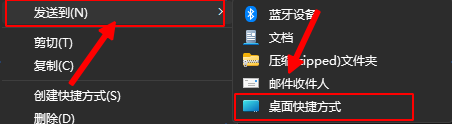
slimevr.exe, select:Send to -> Desktop (create shortcut), for easier application launching.